



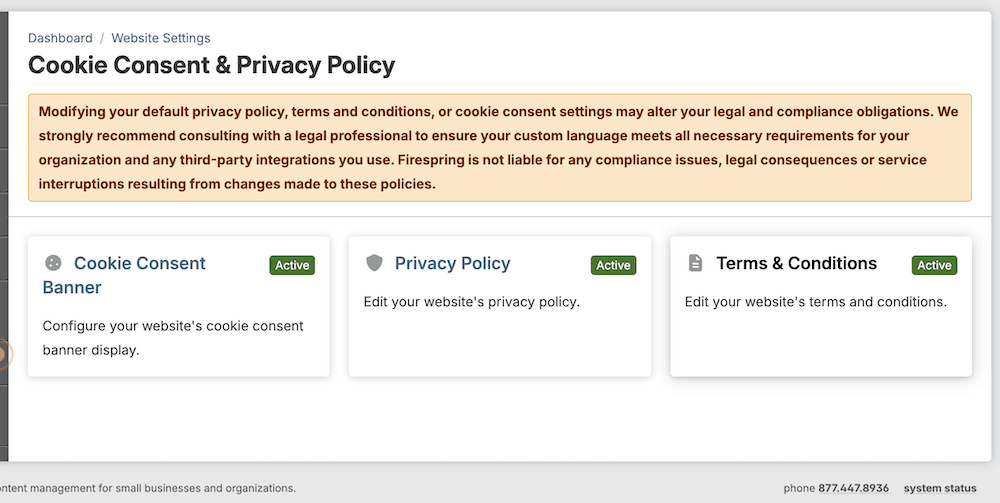
You now have the ability to display a cookie consent banner on your website! This new setting is available in your Website Settings, and will allow you to communicate your cookie policy to your website visitors. You are also able to update your Privacy Policy and Terms & Conditions for your website.
Note: The Cookie Consent & Privacy Policy Settings are only available to Primary Administrators. If you are unable to access the Cookie Consent & Privacy Policy Settings, contact your website's Primary Administrator to upgrade your permissions, or make the changes on your behalf.
To access your Privacy Policy, Cookie Consent and Terms & Conditions settings, click My Website > Website Settings, then click Cookie Consent & Privacy Policy. Only Primary Admins have the ability to update these settings, so chat with your website's Primary Administrator if you need assistance. Check out this article for more information on updating your Cookie Consent & Privacy Policy settings.
Please note: Modifying your default privacy policy, terms & conditions, or cookie consent settings may alter your legal and compliance obligations. We strongly recommend consulting with a legal professional to ensure your custom language meets all necessary requirements for your organization and any third-party integrations you use. Firespring is not liable for any compliance issues, legal consequences, or service interruptions resulting from changes made to these policies.
Reach out to our Client Success Team at support@firespring.com, or 877.447.8936 with any questions!
